Hyprland Is Amazing 💘
Ahh, Hyprland 🤤
So, I’ve been a Linux user for over 10 years now. I got my start dual-booting Ubuntu (🤮) over 12 years ago along-side my Windows Vista ( 🤮 ) install long, long ago. Since then I’ve dual-booted many systems up until I decided to ditch Windows a long long time ago.
Linux has came a llooonnnnggg way since those days. Currently, Linux has many more QOL features that didn’t exist a decade ago. We have nice GUI installers, some companies (namely Valve) has taken a liking to Linux which has ushered in a wave of new supporting firmware that just honestly makes running Linux a breeze these days…if you want it to be that easy, anyways. I do not 😈
I enjoy the grind. I like customizing my system to suit my needs. I like that fact that if a stranger booted up my PC they wouldn’t know how to launch an app. That tells me that my PC is mine, and mine alone.
In fact, I’m currently authoring this blog post on my Linux laptop using the Obsidian app.
Check it out:
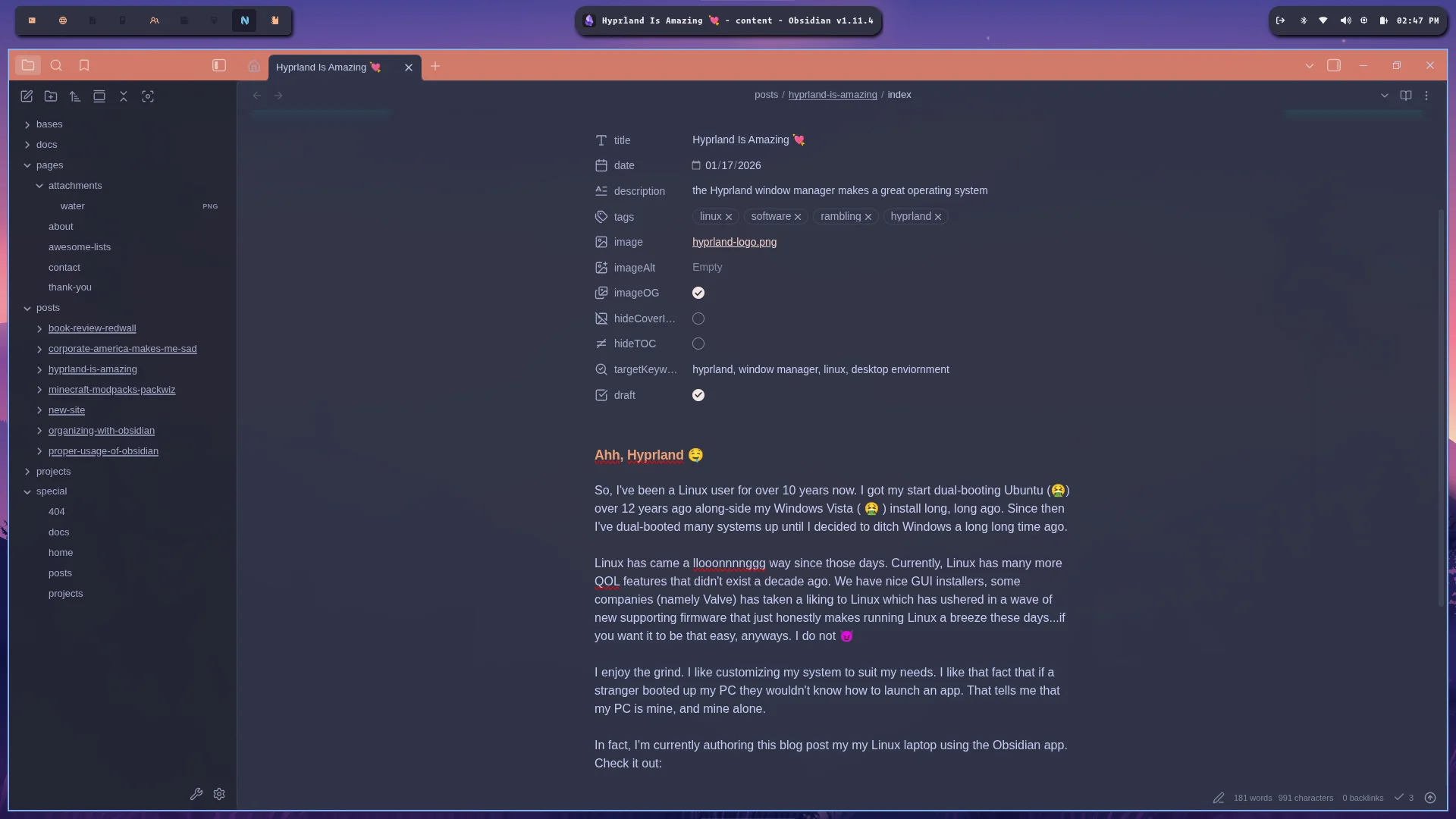
you see that bar at the top of the screen? I made that shit 😎 It’s a piece of software called Waybar. It’s awesome…and it’s mine. There is no other Waybar exactly like this one. I find it cool as hell 😅 If I wanted to add something else to it, I could. I can add anything to it, as a matter of fact. If I felt like going thru the trouble I could hook into my Google analytics API and show website visitors…your imagination is truly the limit here!
Anywho I’m here to talk about Hyprland 😅 Check out what happens when I open a new window on the same desktop as Obsidian:
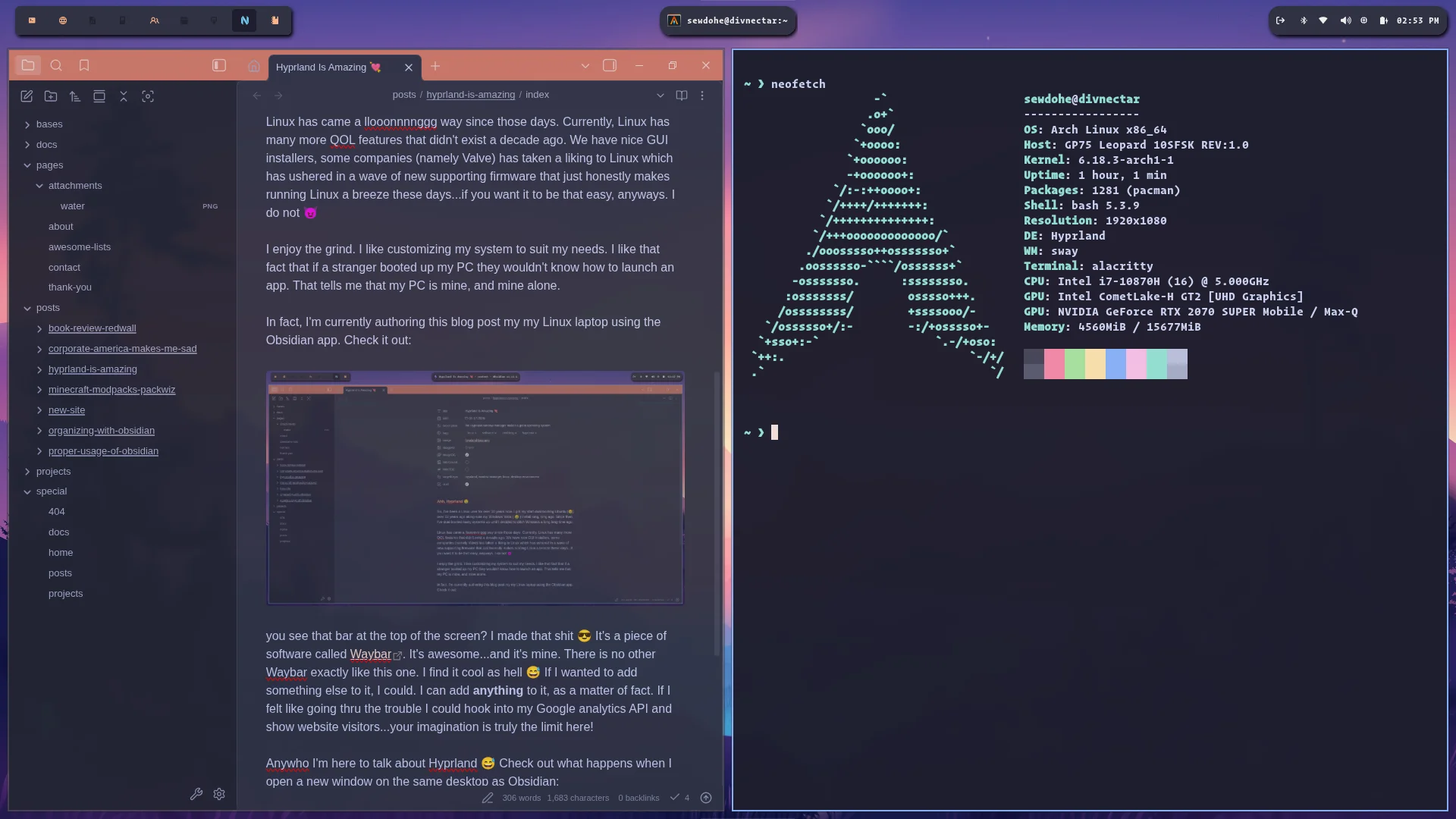
See that shit? That’s a tiling window manager for you. 😎
See the list of icons on the upper left of the desktop?

These are all of my “work-spaces”. These allow me to run different apps on separate virtual desktops. This keeps a single workspace from becoming too cluttered.
It’s in all honesty a godsend. I don’t have to worry with a task-manager taking up tons of space for applications that I launch frequently. They are available as key-binds that I set in my config files. I can make certain windows launch on certain workspaces when I open them to keep things organized. I can switch easily between my different workspaces with a simple key-bind (super/win + 1-9 keys)
Sure - it’s an entirely different paradigm to tradtitional window-management but I’m telling you: once you get used to this everything else sucks donkey ass
Configuration is also easy-as-pie. Take a at this minimal config that comes default from Omarchy OS:
# Learn how to configure Hyprland: https://wiki.hyprland.org/Configuring/

# Use defaults Omarchy defaults (but don't edit these directly!)
source = ~/.local/share/omarchy/default/hypr/autostart.conf
source = ~/.local/share/omarchy/default/hypr/bindings/media.conf
source = ~/.local/share/omarchy/default/hypr/bindings/clipboard.conf
source = ~/.local/share/omarchy/default/hypr/bindings/tiling-v2.conf
source = ~/.local/share/omarchy/default/hypr/bindings/utilities.conf
source = ~/.local/share/omarchy/default/hypr/envs.conf
source = ~/.local/share/omarchy/default/hypr/looknfeel.conf
source = ~/.local/share/omarchy/default/hypr/input.conf
source = ~/.local/share/omarchy/default/hypr/windows.conf
source = ~/.config/omarchy/current/theme/hyprland.conf

# Change your own setup in these files (and overwrite any settings from defaults!)
source = ~/.config/hypr/monitors.conf
source = ~/.config/hypr/input.conf
source = ~/.config/hypr/bindings.conf
source = ~/.config/hypr/looknfeel.conf
source = ~/.config/hypr/autostart.conf

# Add any other personal Hyprland configuration below
# windowrule = workspace 5, match:class qemu
windowrule = workspace 5, match:class vesktop
windowrule = workspace 2, match:class vivaldi
windowrule = workspace 8, match:class nvim
windowrule = workspace 9, match:class obsidian

# Apply the bibata cursor theme
env = HYPRCURSOR_THEME,Bibata-Original-Ice
env = HYPRCURSOR_SIZE,24
It’s all pretty intuitive. Speaking of Omarchy OS - that is the current system I’m using. Omarchy OS is an opinionated OS with super sane defaults out-of-the-box and uses Hyprland as it’s default window-manager. I cannot recommend it enough! I probably wouldn’t switch to Omarchy as a new Linux user, however, as it could easily get frustrating if you’re not used to how Linux works.